V380 Pro WiFi uses account credentials for app access and a device access password for connecting to a camera. Check which password the app is asking for before changing settings or reconfiguring the camera.
[reference]
Title: Account Password
Text: Used when signing in to the app. If it is forgotten, use the available Forgot Password option on the sign-in screen.
Title: Device Access Password
Text: Used when the app connects to an added or previously configured camera. This may be different from the account password.
Title: Factory Reset
Text: Clears existing device configuration and requires the camera network to be configured again.
[/reference]
When the app says the username or password is incorrect
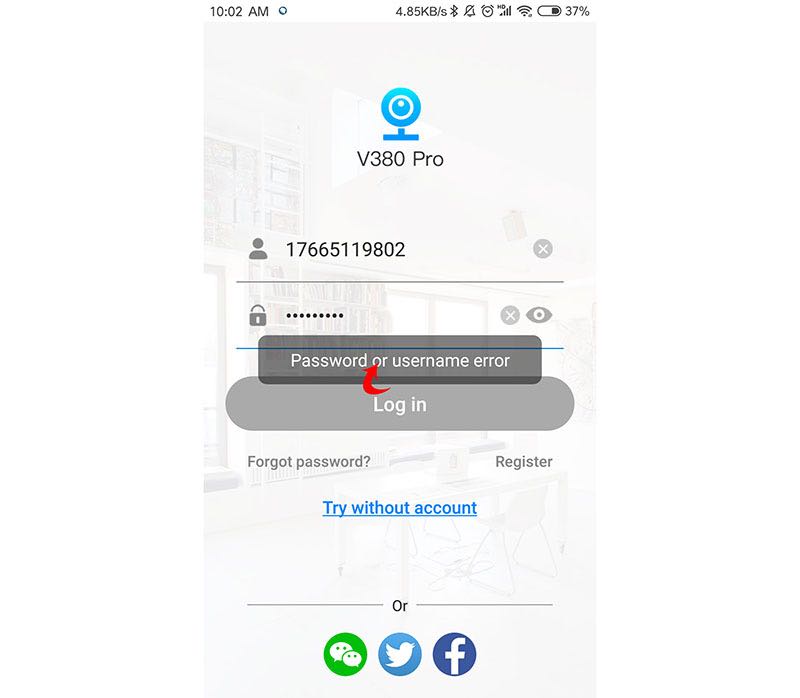
First check the username and password entered on the sign-in screen. If the account password has been forgotten, use the Forgot Password option shown on the password screen.
[tip]
Check whether the prompt appears during app sign-in or while connecting to a camera. The two situations can involve different passwords.
[/tip]
When the camera is found after “access point established”
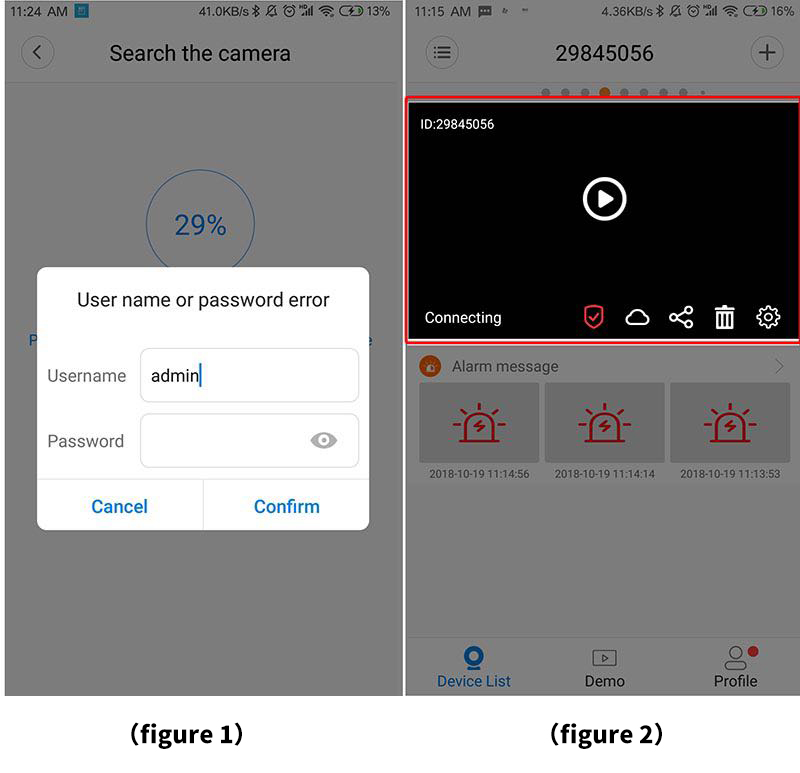
A password prompt at this stage can appear when the camera already has a device password from an earlier setup.
- If the camera was previously added to the device list, the password entered now must match the device password that was already set.
- A camera can also retain a previously configured device password even when it is not currently shown in the device list.
- If the existing device password is known, enter that password in the access field and continue.
When a password is requested from the device list
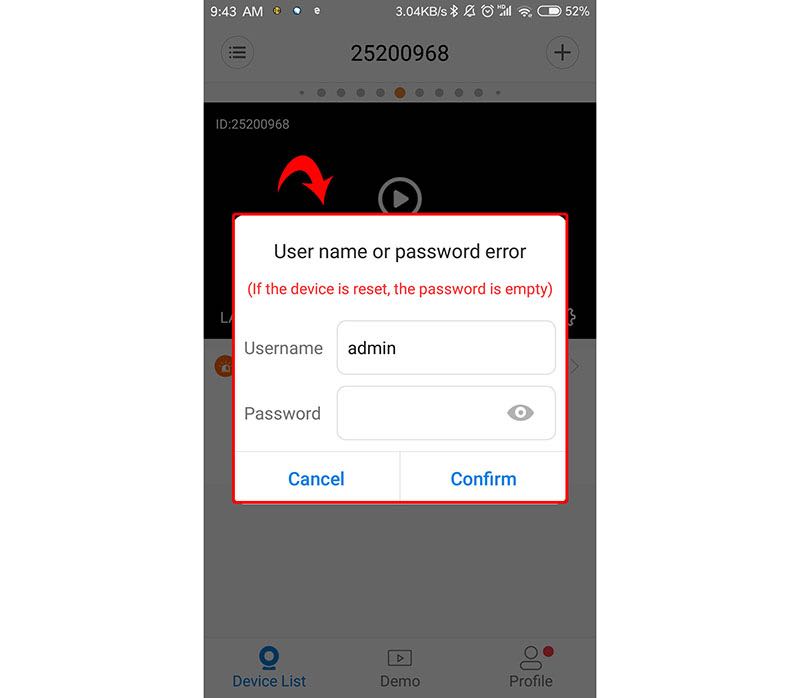
When opening a camera from the device list, use the correct device username and access password when the app requests them.
If the camera does not yet have an access password, follow the password setup prompt presented by the app before continuing to use the device.
If the device password is no longer known
[warning]
A factory reset clears device configuration. Use it only when the existing device password cannot be confirmed and you are prepared to configure the camera network again.
[/warning]
[step]
1. Check whether the camera already appears in the device list and whether its existing device password is available.
2. If the correct password is known, enter it instead of creating a different password for the existing configuration.
3. If the password cannot be confirmed, remove the camera from the device list when needed.
4. Restore the camera to its factory settings so the previous device credentials and configuration are cleared.
5. Configure the camera network again and set a new device password when prompted.
[/step]
[troubleshoot]
Problem: The app sign-in screen does not accept the entered credentials
Cause: The account username or account password may not match the registered account
Fix: Re-enter the account credentials carefully, or use the Forgot Password option if the account password has been forgotten
Problem: The app finds the camera but does not accept the entered access password
Cause: The camera may already have a device password from an earlier setup
Fix: Enter the previously configured device password
Problem: The camera appears in the device list but access cannot be confirmed
Cause: The saved camera configuration may use a device password that is no longer known
Fix: If the password cannot be recovered, remove the device as needed, restore the camera to factory settings, and configure the network again
[/troubleshoot]
[faq]
Q: Is the app account password always the same as the camera password?
A: Not necessarily. App sign-in credentials and the camera's device access password serve different purposes.
Q: Why can a camera ask for a password even if it is not currently in my device list?
A: The camera may have been configured previously and can still retain its device password.
Q: What should I try before resetting the camera?
A: Confirm that you are entering the existing device password rather than a different or newly created password.
Q: What happens after a factory reset?
A: The existing device configuration is cleared, so the camera network must be configured again and a new device password can be set during setup.
[/faq]