How to use the ap hotspot configuration to connect the camera into the route? - v380 pro wifi
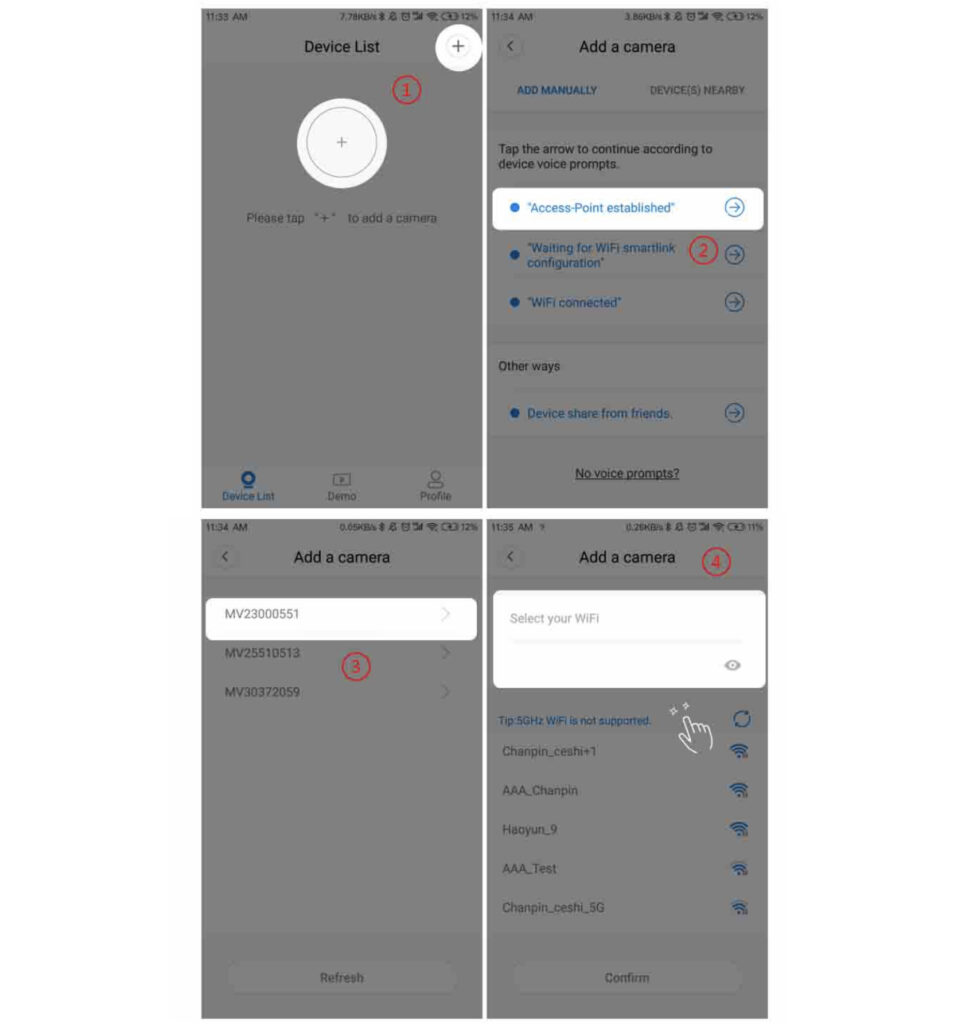
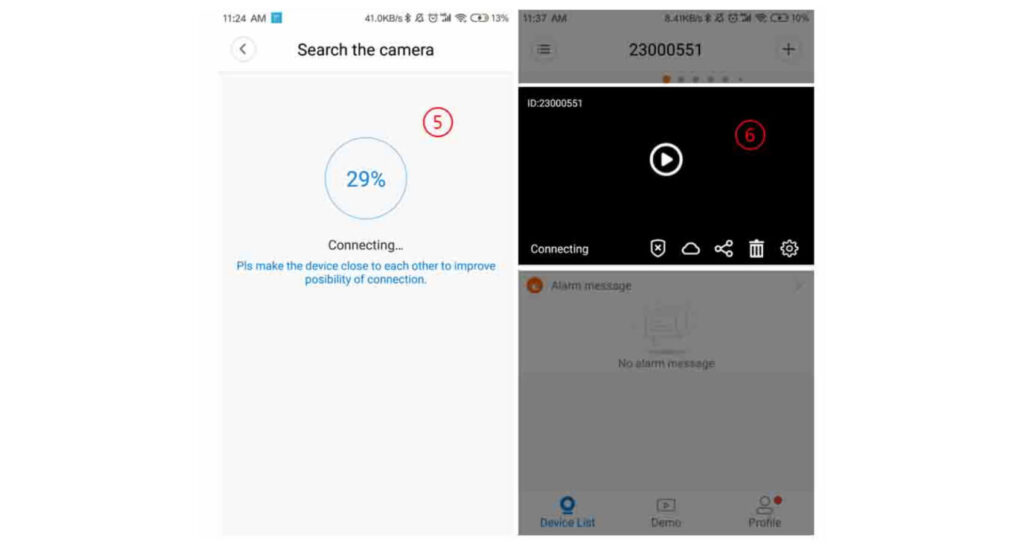
1. Android user: Click [+] in the upper right corner -> [Access-Point established] -> [Select device] -> [Select the route to be connected and enter the route password] -> [Click OK] After successful connection,
The camera will show a prompt “WIFI connection completed”, the device list appears on the device -> [Click on the device to view the image]
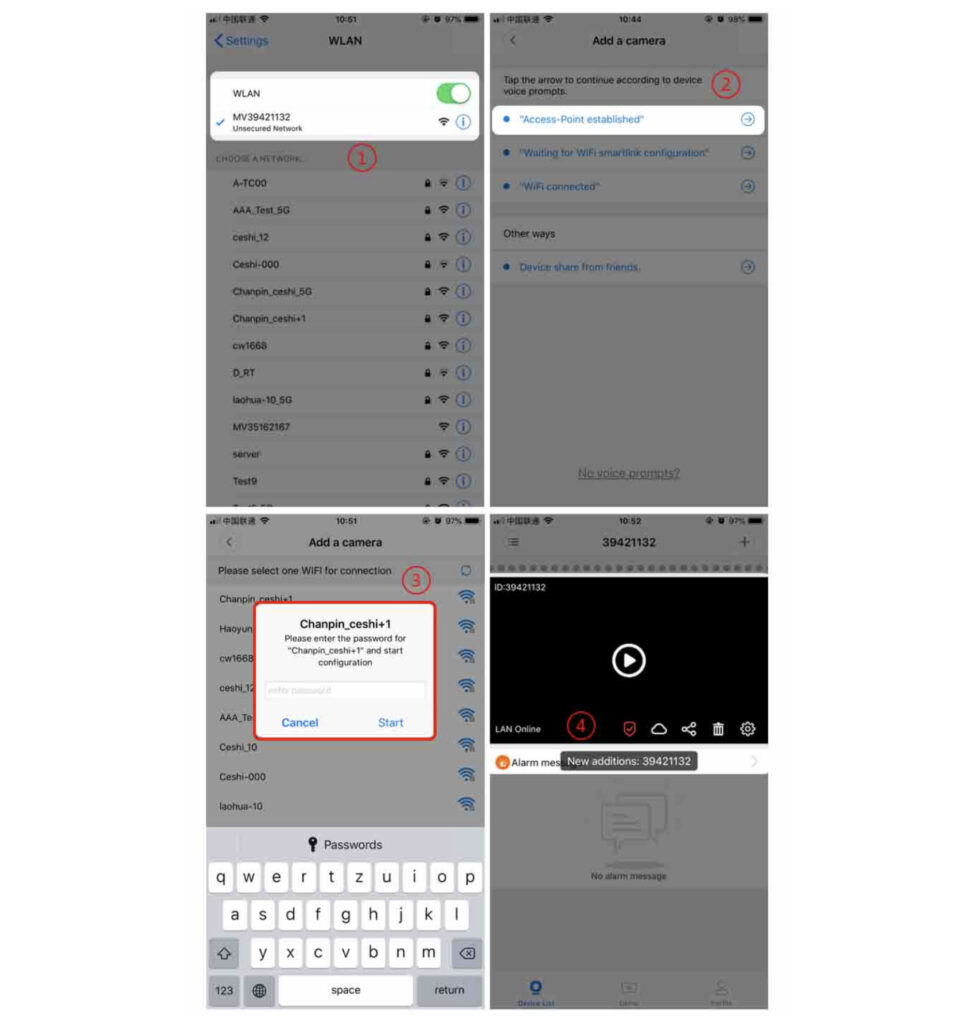
2. Ios user: enter the phone to set the connection [device hotspot (hot spot at the beginning of the MV)] -> [click the “+” in the upper right corner -> [hotspot is established] -> [select the route to connect and enter the route password] – > [Click OK] .
After the connection is successful, the camera will prompt “WIFI connection completed”.
https://v380.org/